
Deltanet Employee Extranet and Travelnet – Login and FAQ
DeltaNet Employee (Delta Air Lines) — Login Help, Retiree Access, Benefits, TravelNet, and a Huge Troubleshooting FAQ
This is the ultimate help tool for current Delta employees, retirees/alumni, and eligible family members who are trying to understand Delta’s employee website ecosystem and solve the most common sign-in, access, and “why won’t this work” problems people report online.
The guide is intentionally practical: what DeltaNet is used for, how login actually works, what to try when login breaks, and how to get to the right help faster. Check out our FAQ sections. Its huge.
Important: Delta’s internal systems are protected and role-based. What you can see inside DeltaNet depends on your status (active vs retiree/alumni), your workgroup, and your permissions. This guide focuses on legitimate, official access paths and common troubleshooting steps. Always follow Delta policy and only use official Delta domains for sign-in.
What is the Delta employee website called?
Delta’s primary employee portal is commonly referred to as DeltaNet (often described as the “DeltaNet Extranet”). It’s the main gateway where employees and authorized users access internal resources such as HR/self-service tools, pay and tax documents, benefits information, internal news, learning resources, and (depending on eligibility) travel-related tools.
Official login and account-help links (start here)
These are commonly referenced official entry points used for Delta employee access and account troubleshooting:
- DeltaNet sign-in
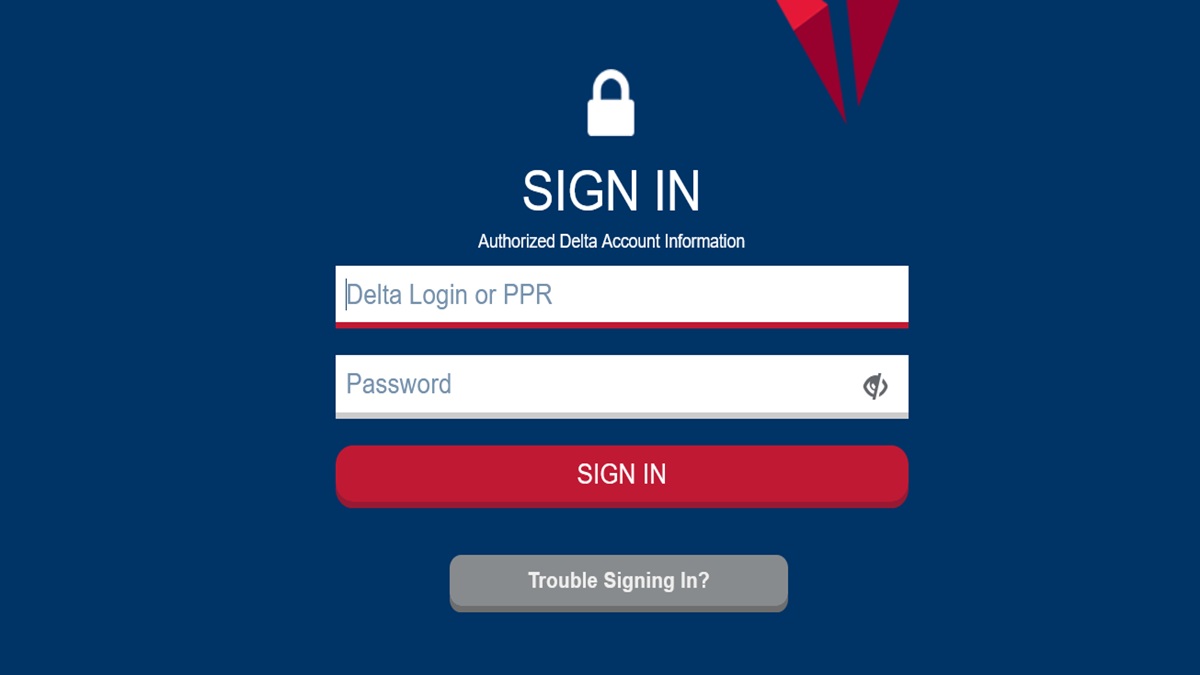
- DeltaNet login page
- Username & password help (SSAA)
- New account setup / registration (if eligible)
- Get help / Service Desk chat & phone
- IT Service Desk portal
If you are a retiree, surviving spouse, or family member trying to understand retiree benefits and who to contact, Delta retiree organizations also point users toward official HR/benefits support resources, such as:
What Delta employees use DeltaNet for
DeltaNet is the “front door” for many day-to-day employee needs. The exact tools vary by role, but employees commonly use DeltaNet for:
- HR and self-service: updating personal details, viewing HR information, and accessing internal policies and employee communications.
- Pay and tax documents: pay statements, W-2s, 1099s (as applicable), and payroll-related self-service actions. Retiree support organizations describe workflows that route retirees through DeltaNet “Self Service” and “My Money” style areas for pay/tax retrieval.
- Benefits information: health and welfare benefits, retirement/pension resources, and benefit enrollment guidance (what you see depends on your status and eligibility).
- Learning and internal news: internal announcements, training links, and departmental resources.
- Travel tools (when eligible): internal employee travel-related tools are frequently discussed online (often referred to as “TravelNet” by employees/retirees), typically accessed from within the Delta employee ecosystem rather than as a public standalone site.
DeltaNet login basics (how access generally works)
1) Your account type matters
DeltaNet access is commonly described as being available for employees, retirees, and authorized contractors/vendors. Public Delta account-help pages describe that access requires a Delta user ID or 9-digit PPR number and a password, and that some users may need a PIN from HR to register (depending on their eligibility and onboarding status).
That translates to a simple rule:
- If you are active, your onboarding/HR workflow normally establishes your credentials and any required MFA enrollment.
- If you are retired/alumni, you may have a retiree-specific access path and may need to (re)establish account recovery/MFA if you haven’t logged in for a long time.
- If you are a surviving spouse/dependent, access may require additional validation and may not work the same as an employee login. When in doubt, use the official help links and HR/benefits contacts rather than guessing.
2) Expect multi-factor authentication (MFA)
Many large employers, including airlines, have rolled out stronger sign-in requirements over time. Delta’s official registration/help pages reference MFA registration completion and managing settings through an official registration portal. If your login experience changed “suddenly,” MFA changes are a common reason.
3) Use the official entry point, not random search results
Because employees often Google “DeltaNet login” or “TravelNet,” scammers sometimes create lookalike pages. A safe habit:
- Only sign in on official Delta domains (delta.com, deltanet.delta.com, ssaa.delta.com, register.delta.com).
- If a page asks you to re-enter credentials unexpectedly, double-check the domain carefully.
- Avoid third-party “form” or “PDF filler” pages that claim to be TravelNet or DeltaNet.
First-time access and account setup (employees, retirees, eligible users)
If you are eligible but do not yet have working credentials, Delta’s official account-help pages indicate registration is only for authorized groups, and you may need a PIN from HR first. In practice, this usually means:
- New employees: complete onboarding steps and use the official setup flow when instructed by HR/IT.
- Retirees returning after a long gap: use official password recovery and MFA re-enrollment paths; be prepared for extra identity verification.
- Contractors/vendors: follow the specific authorization process your Delta sponsor provides.
If you cannot get past the “I don’t have enough information” wall, do not keep trying random logins. Go straight to the official help links and Service Desk resources.
Delta employee benefits overview (what employees commonly look for)
Delta employee benefits are role- and status-dependent, and Delta can change plan details and policies over time. Still, employees and retirees typically use Delta’s internal resources to manage and understand benefits in a few common categories:
Health and welfare benefits
- Medical, dental, and vision plan details
- Enrollment windows, qualifying life events, dependent coverage rules
- Where to find plan documents and how to contact the plan administrator
Retirement and long-term benefits
- Retirement plan/pension resources (as applicable)
- Beneficiary updates and life-event changes
- Retiree health benefit information (if applicable)
Pay, taxes, and payroll self-service
- Pay statements and pay history
- Tax forms like W-2 and 1099 (as applicable)
- Direct deposit and withholding changes (where permitted)
Employee travel privileges (including retiree travel)
Employee travel privileges are one of the most discussed topics online because the rules can be nuanced. Employees and retirees commonly look for:
- How to list for standby travel (where permitted)
- How to designate companions (where permitted)
- Understanding priority codes and listing statuses
- Whether family members can self-list or whether the employee must list them
For benefit questions that are personal, status-based, or time-sensitive, the safest approach is always: verify your specific policy and eligibility in official Delta resources (DeltaNet/HR/benefits contacts), because forum advice can be outdated or specific to one situation.
Common DeltaNet problems employees report online
Across public discussions, a handful of problems show up repeatedly. Some are DeltaNet-specific; others are general “enterprise login” issues that hit airline employees because they’re often signing in from multiple devices, networks, and locations.
- Login loop: you sign in, then it bounces you back to the login screen.
- MFA prompts every time: text/OTP prompts that feel excessive or won’t approve.
- Password reset trouble: account locked, can’t receive reset codes, or recovery steps fail.
- Browser-specific failures: one browser (often Safari) fails while Chrome/Firefox works.
- Travel tools access confusion: retirees or family members can’t access TravelNet the way they used to; companions/buddy passes not showing correctly.
- Off-network limitations: some internal pages or reference lists may be accessible only on certain networks or with specific access context.
Fix-first troubleshooting (the checklist that solves most problems)
Step 1: Confirm you’re on an official domain
Use only these kinds of domains for sign-in and support: deltanet.delta.com, ssaa.delta.com, register.delta.com, servicedesk.delta.com. If you ended up somewhere else from a search result, stop and re-navigate using official links.
Step 2: Try a clean session
- Close all browser tabs.
- Open a new window.
- If the issue persists, clear cookies/site data for Delta domains and try again.
Step 3: Switch browsers
Public reports show cases where Safari fails but other browsers work. If you’re stuck, test Chrome/Edge/Firefox as a quick isolation step.
Step 4: Disable interfering extensions
Ad blockers, privacy tools, VPN/proxy extensions, and script blockers can break enterprise authentication. Temporarily disable them for Delta domains while troubleshooting.
Step 5: Check MFA enrollment and recovery
If your reset codes aren’t arriving or MFA keeps looping, use the official registration/help portals (not random “authenticator” links). If you changed phones, MFA re-enrollment may be required.
Step 6: Use official help paths early
Delta provides official help pages and directs users to Service Desk resources. If you’re locked out, don’t keep guessing passwords—use the official recovery flow or contact the Service Desk so you don’t trigger lockouts.
Massive FAQ (organized and problem-solving)
The FAQ below is intentionally long and organized into sections so employees and retirees can jump to the exact problem they have. Each answer aims to be practical: what it means, what to try, and when to contact Delta support.
FAQ Section A — DeltaNet access, usernames, and account setup
1) What is DeltaNet (DeltaNet Extranet)?
DeltaNet is Delta Air Lines’ primary employee portal. It’s where eligible users authenticate to access internal information and tools such as HR/self-service, benefits resources, internal communications, and (depending on eligibility) travel-related tools. People often call it the “Delta employee website,” and “DeltaNet Extranet” is a common phrase used in guides and discussions. If you’re not sure you’re on the real site, always confirm the domain is deltanet.delta.com before entering credentials.
2) Who can access DeltaNet?
Public Delta account-help guidance indicates registration is limited to Delta employees, retirees, and authorized contractors/vendors. That means the portal is not for the general public, and access requires authorization. If you are eligible but can’t access it, use the official username/password help page first, then Service Desk resources if needed. Avoid third-party “login help” sites that are not on Delta domains.
3) What do I use as my username?
Delta’s official help page states a Delta user ID or a 9-digit PPR number is used, along with a password. In real life, some users sign in with a user ID, while others may use a PPR-based identifier depending on their status and how their account was set up. If you’re unsure which identifier is expected, the fastest path is to use the official help page and follow the “recover” flow rather than trial-and-error attempts.
4) What is a PPR number?
A PPR is commonly referenced as a 9-digit identifier used for Delta system access in certain contexts. If you’re a retiree or returning user and you don’t remember your PPR or how it’s used, start with the official SSAA help page and Delta’s official Service Desk resources. If you keep guessing, you risk triggering account lockouts. When contacting support, have basic identity details ready for verification.
5) I’m eligible but I’ve never created an account. How do I register?
Delta’s official help page indicates registration is for authorized users and that you may need a PIN from HR first. That usually means you should follow the official onboarding or HR instructions rather than trying to self-create an account without the required validation. Use the official registration portal if you are instructed to do so, and if you hit a roadblock (like needing a PIN), contact HR/IT through official channels. This prevents delays and reduces the risk of creating mismatched identity records.
6) I’m a retiree and I used to log in years ago. Why doesn’t it work now?
Long gaps commonly trigger stronger security steps, including MFA re-enrollment, expired recovery methods, or identity re-validation. In addition, systems evolve—retiree access may route through a different landing page or require updated recovery steps. Use official password recovery and account management tools (register.delta.com / SSAA help) rather than relying on old bookmarks. If you are a retiree and don’t know where to start, official retiree information hubs can also point you to the correct HR/benefits contacts.
7) I’m a surviving spouse or family member. Can I access DeltaNet?
This is highly eligibility-dependent and often requires additional identity verification. Public forum discussions show that surviving family members sometimes struggle to access travel tools even after receiving new credentials, which suggests there can be special handling in the account setup. Do not assume the process is the same as an employee login. The safest approach is to use official help resources and work with Delta’s HR/benefits or support channels to confirm what access is available for your status.
8) Is DeltaNet the same as Delta.com login?
No. Delta.com login is for customer accounts (e.g., SkyMiles). DeltaNet is an internal employee portal for authorized users. Confusing these two accounts is common, especially for family members who also have SkyMiles accounts. If you’re troubleshooting, confirm whether you’re trying to log in to delta.com (customer) or deltanet.delta.com (employee portal), because the reset methods and credentials may differ.
FAQ Section B — Password resets, lockouts, and MFA (two-factor authentication)
9) Where do I go if I forgot my DeltaNet password?
Start with Delta’s official username and password help page, which describes recovery and reset options. If the reset flow fails or you cannot validate your identity, the next step is the official Service Desk support resources. Avoid random “password reset” pages from search results. Use only official Delta domains for account recovery.
10) My account says it’s locked. What should I do?
Account locks often happen after too many failed attempts or suspicious sign-in signals. Stop trying repeated guesses, because you can extend the lockout. Use the official recovery tools or contact the Service Desk so the lock can be handled correctly. If you recently changed devices or moved locations, mention that, because it can explain why the system flagged the login.
11) Why do I get an MFA prompt every time I log in?
Some users report that certain travel tools and employee login flows trigger a text code or prompt at each login. That can be normal when the system doesn’t trust the device/session (for example, if cookies are blocked or the browser can’t store a “remember this device” token). First, ensure cookies are allowed for Delta domains and that privacy extensions are not deleting site data on exit. If it still happens, check official account management settings and contact support if it’s excessively disruptive.
12) I changed my phone and now MFA doesn’t work.
This is one of the most common enterprise login failures. If your MFA method was tied to your old device, you may need re-enrollment through official Delta account management tools. Use official Delta registration/help resources and be prepared for identity verification. If you can still log in on another device, update your MFA settings immediately so you don’t get locked out later.
13) I’m not receiving MFA codes by text or email. What can cause that?
Common causes include incorrect contact details on file, spam filtering, carrier delays, blocked short codes, or a mismatch between your profile and current device. First, confirm your phone can receive short-code texts and that you haven’t blocked them. Next, check whether your browser or app is failing to complete the authentication step (switch browsers and try again). If you still can’t receive codes, stop and use official support channels, because repeated failures can trigger further security restrictions.
14) What is PingID and why do some pages mention it?
Some official Delta pages reference MFA registration completion and mention PingID in the context of multi-factor enrollment. You don’t need to understand the brand name to troubleshoot, but you do need to recognize the pattern: MFA enrollment completed vs not completed, and device changes requiring re-registration. If you see an MFA registration completion page, follow the official instructions provided on that page and use official settings portals for future management.
15) Can I remove MFA?
In most enterprise environments, MFA is a security requirement and cannot simply be removed on request. Some employees complain about frequent prompts, but the fix is usually improving device trust and session stability (allow cookies, avoid privacy tools that wipe tokens, avoid network conditions that look suspicious). If your prompts are excessive, the practical step is to ensure your browser isn’t deleting Delta site data and then consult official help resources for guidance. If you have a legitimate business need, use official support channels rather than attempting workarounds.
FAQ Section C — Browser and device problems (login loops, blank pages, Safari issues)
16) I sign in and it sends me right back to the login page. What is that?
This is the classic “login loop,” usually caused by cookie/session problems. The authentication system sets a token, but the browser blocks or deletes it, so the site thinks you’re not signed in and asks again. Fix it by clearing cookies/site data for Delta domains and trying a fresh browser session. If it works in a different browser, the issue is almost always browser settings or an extension interfering with cookies.
17) Why does Delta login work in Chrome but not Safari?
Public reports show browser-specific issues where Safari fails while other browsers succeed. Safari’s privacy protections can be stricter, and certain cookie policies can disrupt enterprise sign-in flows. If Safari is failing, test Chrome/Firefox/Edge as a workaround and then adjust Safari settings (allow cookies for the site, disable strict tracking prevention for that domain if appropriate). If you’re on a managed device, your company IT settings may also affect this.
18) The site loads but buttons don’t work or pages are blank. What should I try?
This often happens when a script blocker, privacy extension, or aggressive ad blocker prevents necessary JavaScript from running. Temporarily disable extensions for Delta domains and reload the page. Also try a hard refresh and a different browser. If you’re on a corporate network, confirm you aren’t behind a proxy/VPN that breaks scripts or certificates.
19) Does incognito/private mode help?
Incognito can help as a test because it starts with a clean cookie jar and fewer stored tokens. If DeltaNet works in incognito but not in your normal window, you’ve confirmed it’s a cookie/session or extension issue. The solution is to clear site data, adjust cookie settings, and disable interfering extensions. Don’t rely on incognito long-term; fix the underlying cause so your session remains stable.
20) Can a VPN cause DeltaNet issues?
Yes. VPNs can change your network location and can trigger security checks. Some VPN endpoints are flagged more often than normal residential networks. If you’re having login trouble, disable personal VPN/proxy tools and try again. If you require a corporate VPN for other reasons, use the official IT guidance and avoid stacking multiple VPN layers.
FAQ Section D — Travel tools (TravelNet), nonrev listings, companions, and common confusion
21) What is TravelNet?
“TravelNet” is a term employees and retirees commonly use when discussing Delta’s employee travel tools. It typically refers to internal travel privilege management functions—listing for standby, managing eligible travelers, and checking travel-related status—accessible through the employee ecosystem rather than a public site. Because TravelNet is discussed informally online, people often confuse it with unrelated third-party pages; always use official Delta sign-in paths and internal navigation.
22) Can family members log in to TravelNet themselves?
Online discussions frequently note that family members may not have the same self-service ability as the employee or retiree. In some cases, the employee must list family members, or family members must use alternate methods. If a family member cannot access TravelNet, do not assume it’s “broken”—it may be by design due to policy. The correct approach is to verify the current policy inside official Delta resources and follow the designated process.
23) I’m a buddy pass traveler and I can’t do anything myself. Is that normal?
Many buddy-pass workflows require the employee to set up and manage the listing. Public forum answers often emphasize that the employee controls the listing and that non-employees cannot fully self-manage the process. If you’re a traveler and not the employee, your best fix is to coordinate with the employee rather than trying to create your own DeltaNet access. If you are the employee, confirm you’re using the correct internal travel tool and that your companion is assigned properly.
24) My companion/buddy is showing in the wrong section or I got an error when adding them. What should I do?
Errors can happen if a traveler is added under the wrong category (companion vs buddy vs dependent) or if the system hasn’t updated after a change. The first step is to back out and re-check the traveler profile setup, then confirm the listing rules for that traveler type. If the UI is confusing, take screenshots (without exposing sensitive data) and reference official help resources or internal guidance. If the system continues to misclassify the traveler, contact the appropriate support channel.
25) I can access TravelNet, but certain reference lists (like code lists) aren’t accessible off-network. Why?
Some employees report that certain pages or lists are only accessible in specific access contexts, such as on a corporate network or with specific authentication conditions. This can be intentional for security or licensing reasons. If you can see TravelNet but not a specific reference page, try another device/network context approved by Delta and confirm you are still fully authenticated. If the restriction persists, assume it’s a permission/network policy issue rather than a bug and use official support channels for confirmation.
26) I’m a retiree. Is TravelNet still available?
Retiree organizations and online discussions frequently mention retiree access to travel tools through a retiree/alumni version of DeltaNet. If you are a retiree, use the official login and help links first, and then use retiree HR/benefits contacts if you can’t access travel functions. If something changed recently, it may be a policy or platform update rather than a personal account issue.
27) I’m a surviving spouse and I can’t access TravelNet even with new credentials. What now?
Public discussions show this can happen and may involve special handling for survivor benefits and travel eligibility. The best move is to stop troubleshooting like it’s a normal password problem and instead contact the official retiree/survivor support path for eligibility confirmation. Survivors may need additional verification steps or may have different portal routing. If you have access to a retiree organization resource, it can help you find the correct official contact path.
28) Why do I see posts saying “family access was discontinued” or changed?
Some retiree/community resources mention changes affecting family access to certain travel functions, including dates when a particular access method or phone system was discontinued. That type of change can create sudden confusion where a process that worked for years stops working. If you’re affected, treat it as a policy/tool change: verify the current official process in Delta resources, then update your workflow accordingly. Do not rely on old instructions copied from forums without re-checking the current rules.
FAQ Section E — Pay statements, W-2s, and “where do I find my tax forms?”
29) Where can retirees find pay statements, W-2s, and 1099s?
Retiree support organizations describe using the DeltaNet for Alumni home page and navigating through “Self Service” and then a “My Money” style section to access paycheck receipts and tax forms. If you’re a retiree and can’t find these items, the solution is usually either (1) you’re not on the retiree/alumni portal view, or (2) your account isn’t fully authenticated. Start with DeltaNet and then search for “Self Service,” “My Money,” “W-2,” or “1099.” If you still can’t locate it, use official retiree support contacts rather than guessing.
30) I can log in, but I can’t find the W-2 link. Is it missing?
It might not be missing—it may be located under a self-service menu, or your view may differ based on status and eligibility. Internal portals often reorganize navigation, which makes older instructions useless. Use the portal’s search function with “W-2” and “tax forms,” and check self-service menus. If the portal search fails, contact HR support and ask for the current navigation path for your status (active vs retiree).
31) The IT Service Desk message says W-2 questions go somewhere else. What does that mean?
Delta’s Service Desk portal indicates that W-2 questions may be routed to HR rather than IT. That’s because tax forms are an HR/payroll issue even if you’re having a portal navigation problem. If you can’t access the W-2 due to login problems, IT can help. But if your question is about the content of the W-2 or corrections, HR is typically the correct channel.
FAQ Section F — Benefits and retiree support
32) Where should retirees start for official benefits questions?
Start with official Delta retiree resources and HR/benefits support channels. Retiree hubs explain that HR professionals can handle questions for active, alumni, retiree, and surviving family member pension and benefits. Benefits questions often require identity verification and access to your personal record, so forum answers may be incomplete. Use forums for “what menu to click,” but use official contacts for “what am I eligible for and why.”
33) How do I update my address or beneficiary information?
These actions are typically handled through HR/self-service areas inside the employee portal. The exact menu label can change over time. If you can’t find the option, search the portal for “address change” or “beneficiary.” For retirees, if the self-service path is confusing, official retiree support contacts can provide the correct navigation instructions for the current portal layout.
34) I’m retired and my benefit coverage questions are complicated. Is DeltaNet enough?
DeltaNet is useful for documents and self-service, but complicated benefit situations often require speaking with a benefits representative. That includes survivor benefits, dependent eligibility changes, and coordination of coverage. Use DeltaNet to gather your plan documents and current enrollment status, then contact the official benefits line or retiree HR support with the exact details. That combination usually resolves issues faster than trying to “click around” until something makes sense.
FAQ Section G — Security, phishing, and staying safe
35) How can I tell if a DeltaNet login page is real?
Check the domain. The official DeltaNet pages are on deltanet.delta.com, and official help pages are on ssaa.delta.com, register.delta.com, and servicedesk.delta.com. If you’re on a random “employee portal” site with extra words in the domain or a PDF-filler site, leave immediately. A good habit is to use a bookmark you created from an official link rather than searching every time.
36) Why is it dangerous to search “TravelNet” and click the first result?
Because “TravelNet” is a commonly discussed internal tool name, and third parties sometimes create pages that mimic internal tools or ask for personal information. If you land on a non-Delta domain, do not enter credentials. Always route through DeltaNet or official account-help pages. If you suspect you entered information into the wrong site, change your password using official recovery tools and contact the Service Desk.
FAQ Section H — When to contact support (and how to get faster help)
37) When should I contact the Delta Service Desk?
Contact support when you’re locked out, MFA isn’t working, password recovery fails, or a known system issue persists across browsers/devices. If the problem is purely “where is the button,” you can often solve it by using portal search and updated internal instructions. But when the system refuses to authenticate you, support is the fastest route. Use official Service Desk resources so your issue is logged and handled through legitimate channels.
38) What information should I have ready before contacting support?
Have your login identifier type (user ID or PPR-based ID), your employee/retiree status, and the exact error message. Also note what device and browser you’re using and whether you tried another browser. If MFA is involved, mention whether you changed phones or phone numbers recently. Avoid sending passwords or full sensitive details in email; follow the support channel’s secure verification steps.
Extra FAQ (rapid-fire fixes for very common scenarios)
39) I can log in at work but not at home. Why?
It’s usually either (1) MFA/device trust differences, or (2) home browser extensions blocking cookies/scripts. Try a different browser at home, disable extensions, and ensure cookies are enabled for Delta domains. If the issue persists, use official help tools to confirm your MFA and recovery settings are current. If you still can’t access, contact support and note the “works at work, fails at home” pattern.
40) The site says “unauthorized use is prohibited.” Is something wrong?
No—this is a standard security banner on many enterprise login pages. It’s meant to warn against unauthorized access and remind users the system is protected. The presence of that banner doesn’t indicate an error. Focus on the actual error message (wrong password, MFA failure, account locked) if you can’t sign in.
41) I keep getting “Login ID or Password cannot be blank.” What does that mean?
It often appears when the login form is submitted without the required fields, or when a browser/script issue prevents the form from populating correctly. Make sure your password manager isn’t failing to fill the fields. Try typing credentials manually once. If it still happens, switch browsers and disable extensions that might be interfering with form submission.
42) A YouTube video says to do X to log in. Should I trust it?
Be cautious. Videos can be outdated quickly, and some may point users to unsafe links. Only use videos that keep you on official Delta domains and don’t ask for additional personal info. Even then, prefer Delta’s official help pages for account recovery and MFA. A safe approach is: use the video only to understand the general navigation, then confirm the correct current links via official Delta pages.
Additional FAQ (DeltaNet / TravelNet / HR & Support)
FAQ Section I — Contacting Delta HR, AskHR, and the right support channel
43) How do I contact Delta HR for employee or retiree help?
The most reliable “front door” is usually AskHR inside Delta’s employee/retiree portal (DeltaNet/Alumni DeltaNet), where you can submit an HR question through official internal navigation. Delta retiree resources specifically point to “Alumni Deltanet > Ask HR” as a standard path for HR questions. :contentReference[oaicite:0]{index=0}
44) Is there an AskHR email address (for example, askhr@delta.com)?
Some users report emailing askhr@delta.com for help, but the most dependable approach is to use the official AskHR submission pathway inside DeltaNet/Alumni DeltaNet (because contact methods can change). If you do use an email address you found online, verify it from an official Delta portal page before sending personal information. :contentReference[oaicite:1]{index=1}
45) What phone number can retirees use for HR, benefits, pension, and survivor support?
Delta retiree resources list the My Delta Service Center phone number as 1-800-MY-DELTA (800-693-3582) for items like pension verification, retirement/pension benefits, life insurance changes, survivor benefits, and reporting the passing of a retiree/survivor. :contentReference[oaicite:2]{index=2}
46) What is the best phone number for technical issues with Delta login (DeltaNet/registration/MFA/password reset)?
For technical sign-in problems, Delta’s official self-service help pages list the Delta Service Desk numbers as +1 (404) 714-HELP and toll-free +1 (888) 714-0529, along with a chat option. :contentReference[oaicite:3]{index=3}
47) I have a W-2 problem. Should I call IT or HR?
Delta’s IT Service Desk messaging indicates that W-2 questions are typically routed to HR (often via the My Delta Service Center), while IT focuses on access/login issues. If you cannot log in to retrieve the W-2, that’s an IT issue; if the W-2 content is wrong or you need a correction, that’s usually HR/payroll. :contentReference[oaicite:4]{index=4}
48) What is “AskHR Live Chat” and when should I use it?
Delta pass travel pages and Delta benefits resources reference AskHR Live Chat as a way to get help with HR topics, including pass travel questions and policy/process clarifications. If your question is “How do I do this?” or “What is the current process?”, live chat is often faster than email. :contentReference[oaicite:5]{index=5}
49) I’m a pass rider (not an employee). Who should I contact for pass travel questions?
For general pass travel policy or process questions, Delta’s pass travel page points users toward AskHR Live Chat and notes Travel representatives’ availability. If you’re not the employee, the employee usually must manage key parts of your listing in TravelNet (see TravelNet section below). :contentReference[oaicite:6]{index=6}
50) I’m worried I found a fake “DeltaNet/TravelNet” login page on Google. What should I do?
Stop immediately and navigate using official Delta domains only (for example, deltanet.delta.com for DeltaNet and official Delta self-service/help portals). If you entered credentials anywhere suspicious, change your password using official reset tools and contact the Service Desk. DeltaNet’s login page includes an “unauthorized use is prohibited” security banner—use that official page rather than third-party sites. :contentReference[oaicite:7]{index=7}
FAQ Section J — DeltaNet vs TravelNet and common TravelNet problems
51) What is the difference between DeltaNet and TravelNet?
DeltaNet is the broad employee/retiree portal (HR, self-service, internal resources). TravelNet is commonly referenced as the pass travel toolset used for employee travel privileges (listing, pass rider management, and related workflows). Delta benefits resources list TravelNet under Employee Pass Travel. :contentReference[oaicite:8]{index=8}
52) Where can I find TravelNet help or pass travel support hours?
Delta’s pass travel page references support availability and directs users to AskHR Live Chat for general pass travel policy/process clarifications. Delta benefits resources also list Travel contact options and typical support hours. :contentReference[oaicite:9]{index=9}
53) Can my companion/buddy list themselves on TravelNet without me (the employee) doing it?
In public discussions, the most common answer is no: the employee typically must create listings in TravelNet. Some posts mention alternate methods (agent assistance or chat/phone support) in special cases, but the default expectation is employee-managed listings. :contentReference[oaicite:10]{index=10}
54) What’s a common reason my pass rider says “I can’t list myself”?
This is one of the most repeated points online: TravelNet is generally configured so the employee controls listings. Pass riders may not have the same self-service access or credentials, even if they have a Delta.com customer login. :contentReference[oaicite:11]{index=11}
55) TravelNet won’t let me list a codeshare flight (for example, KLM out of AMS). What does that mean?
In Delta nonrev communities, people report that TravelNet may block certain codeshare/non-Delta-operated segments and show guidance that partner handling applies (for example, “nonrev out of AMS is handled by KLM”). In those cases, employees often need to follow the partner/nonrev process instead of the standard TravelNet listing flow. :contentReference[oaicite:12]{index=12}
56) I’m confused about standby priority and “who clears first.” Where do employees talk about this?
TravelNet/standby behavior is frequently discussed in Delta communities (including Reddit threads where people vent about standby workflows and misunderstandings). These discussions often highlight that confusion comes from traveler type (employee vs companion vs buddy), cabin defaults, and airport/agent handling—so the fix is verifying the exact traveler category and policy in official pass travel guidance. :contentReference[oaicite:13]{index=13}
57) TravelNet is slow, confusing, or “clunky.” Is that a common complaint?
Yes—public threads include complaints about TravelNet usability, especially around standby, listing steps, and how information is displayed. When you see this, the practical approach is to use the official pass travel help resources (AskHR live chat / pass travel support) and keep a personal checklist for your most common routes and traveler types. :contentReference[oaicite:14]{index=14}
58) Is there a live chat specifically mentioned for pass travel questions?
Yes. Delta’s pass travel page references AskHR Live Chat for general pass travel questions such as policy or process clarifications. :contentReference[oaicite:15]{index=15}
59) What’s one “hidden” TravelNet mistake employees make with pass riders?
A common mistake is confusing traveler categories (dependent vs companion vs buddy pass) or assuming the traveler can self-manage listings. The fix is to confirm the traveler is assigned correctly in the pass rider area (Delta benefits resources reference tools for pass riders and HR support through My Delta Service Center / AskHR). :contentReference[oaicite:16]{index=16}
60) If a pass rider is at the airport, can an agent help create a listing?
Some Delta nonrev discussions mention that an airport agent can sometimes assist with listing when the employee cannot, but policies and willingness can vary. The safest route is still employee-created listings via TravelNet, and using official chat/support channels when exceptions are needed. :contentReference[oaicite:17]{index=17}
FAQ Section K — Delta PPR, IDs, and common “what does this mean?” questions
61) What is a Delta PPR number?
Delta’s official sign-in help references using a 9-digit PPR number (or Delta user ID) as part of authorized account access. In simple terms, it’s an internal identifier used for certain Delta systems and workflows. :contentReference[oaicite:18]{index=18}
62) Is my PPR the same as my Delta.com (SkyMiles) login?
No. Your PPR is an internal identifier referenced for employee/authorized access flows, while a Delta.com login is a customer identity (SkyMiles). Confusing these two is a common reason people end up resetting the wrong password. Use Delta’s official employee login help if you’re trying to access DeltaNet tools. :contentReference[oaicite:19]{index=19}
63) I’m a parent/spouse of an employee. Why do people keep telling me “you need the employee’s PPR”?
Because, in many reported workflows, the employee is the “owner” of the travel benefit and must create or manage listings in TravelNet. Some family members ask how to list without the employee and get told they can’t, which is consistent with many TravelNet discussions. :contentReference[oaicite:20]{index=20}
64) I forgot my PPR. What should I do?
Don’t guess. Use official Delta self-service help (username/password help and the registration/help portal) or contact the Service Desk. If you are a retiree, the My Delta Service Center can also help route you to the correct support for identity and access issues. :contentReference[oaicite:21]{index=21}
FAQ Section L — More “real world” DeltaNet issues (from forums) and practical fixes
65) DeltaNet loads but shows “Login ID or Password can not be blank!” even though I typed them.
This error appears on the DeltaNet sign-in page and can happen if the form submission is interrupted by a browser extension, script blocker, or autofill failure. Try typing credentials manually once, then disable extensions for Delta domains, and test another browser. :contentReference[oaicite:22]{index=22}
66) I can’t reach DeltaNet at all. It times out or won’t load.
First confirm you’re using the official DeltaNet domain. Then try a different network (if permitted), disable VPN/proxy tools, and switch browsers. If it still fails, use the Delta Service Desk chat/phone options listed on Delta’s official help pages. :contentReference[oaicite:23]{index=23}
67) I’m a retiree and I can log in, but I can’t find the “Alumni DeltaNet” area people mention.
Retiree resources describe that certain items (like pay statements/tax forms) are under retiree-focused navigation (Self Service / My Money). If your portal view doesn’t match instructions, use the portal search for “Self Service,” “My Money,” “W-2,” or “Tax Forms,” or ask via the “Ask HR” path for the current navigation. :contentReference[oaicite:24]{index=24}
68) I need help with benefits/payroll/pass riders — is there one place that handles “complex” questions?
Delta benefits resources describe the My Delta Service Center (MDSC) as a place that can assist with complex benefit, payroll, and other HR support topics (and they also reference AskHR live chat availability). :contentReference[oaicite:25]{index=25}
69) TravelNet says a call center is closed. What are my options?
Delta’s pass travel page notes that if the travel call center is closed, you can use AskHR Live Chat (available for policy/process clarifications) and references travel representative hours on business days. :contentReference[oaicite:26]{index=26}
70) I keep hearing that travel listing methods changed (phone system replaced, chat now used). Is that real?
In public Delta nonrev discussions, people mention that older phone/IVR methods for creating listings were replaced by chat-based support. If your old process stopped working, treat it as a workflow change and use current official support channels (AskHR live chat / pass travel support). :contentReference[oaicite:27]{index=27}
- Separate pages for DeltaNet login, Travel tools (TravelNet), Pay & tax documents, Retiree access, and MFA troubleshooting.
- A searchable FAQ with anchored links and clear category navigation.
- A strong security banner reminding users to sign in only on official domains.
- Short “fix-first” checklists at the top of every troubleshooting page.
Disclaimer
This article is an independent informational guide based on publicly available information and common user-reported issues. It is not affiliated with, endorsed by, sponsored by, or officially connected to Delta Air Lines. For official policies, account access, and personalized benefits or travel eligibility questions, always use Delta’s official employee portals and official HR/IT support channels.